 HikariSub
Presets
Start a karaoke effect from one of ten built-in presets, inserted as template lines you can preview, edit and apply.
HikariSub comes with ten karaoke effects, ready to use. A preset is a set of template and code lines. The Template editor inserts them into your file, and from then on they are ordinary templates: you preview, edit and apply them like your own.
The presets are stock Karaoke Templater syntax, with no extra libraries, so a file that uses them gives the same lines in Aegisub 3.2.2. All of them were written for HikariSub.
Inserting a preset
In the Template editor, press New, then From a preset. The presets are listed by name; hover one to read what it does, in a tooltip and in the status bar. Click it to insert it.
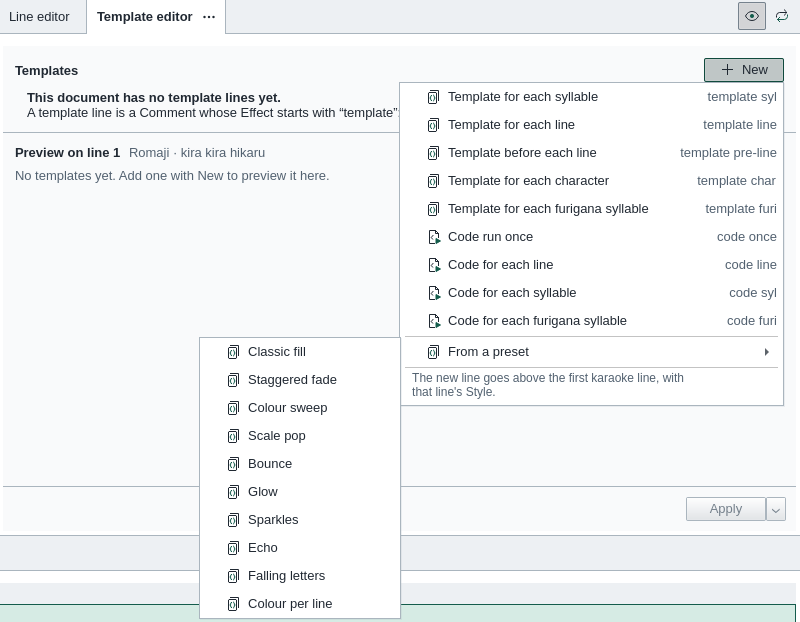
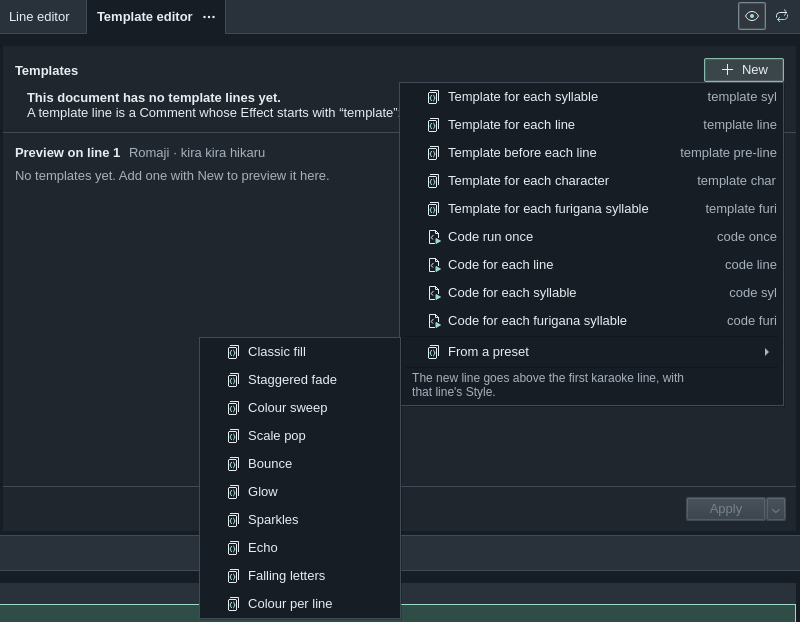
The preset's lines go where New puts a template:
- above the first karaoke line, in the preset's order, each with its own layer;
- with the style of that karaoke line;
- as comments, so nothing is generated yet.
The first of them becomes the current template, and the preview shows the effect at once. If the panel is still asking whether to trust the file's templates, the preview waits until you press Preview, as for any template.
A preset is added to the templates already in the file; it replaces nothing. The insertion is one undo step, New template from preset, so Edit › Undo takes all its lines out again. Then press Apply to generate the effect for the whole song.


The presets
| Preset | Lines it adds | What it does |
|---|---|---|
| Classic fill | template pre-line fill, template line fill | The line fills from left to right as it is sung (\kf), in the style's own colours. It fades in 0.3 s before the line and out 0.3 s after it. |
| Staggered fade | template syl noblank | The syllables fade in one after another before the line starts, turn amber as they are sung, and fade out together after it ends. |
| Colour sweep | Two template syl noblank, on layers 0 and 1 | An orange copy of each syllable wipes across it from left to right while it is sung, with an animated \clip. |
| Scale pop | template syl noblank | Each syllable swells to 130 % of its style's scale as it is sung, turns pale yellow, and settles back to the style's size. |
| Bounce | Four template syl noblank | Each syllable hops up 16 pixels and lands again while it is sung, and stays pale yellow until the line ends. |
| Glow | Two template syl noblank, on layers 0 and 1 | A soft blue halo flares behind each syllable as it is sung, then fades; the syllable turns pale blue. |
| Sparkles | template syl noblank, and template syl noblank notext loop 8 on layer 1 | Eight small sparks fly out from each syllable as it is sung. The sparks are a drawing, not text. |
| Echo | Two template syl noblank, on layers 0 and 1 | A copy of each syllable grows to 180 % of its style's scale behind it and fades away as it is sung. |
| Falling letters | template syl noblank char | The letters drop into place one by one, from left to right, before the line starts, then turn light green syllable by syllable. |
| Colour per line | code once, template pre-line palette, template line palette | Like Classic fill, but the lines take turns through a palette of four fill colours, orange, blue, green and pink, by their place in the file. |
The colours are written in the template text as \1c and \3c tags, and Colour per line keeps its palette in the code once line. Change them there.
The presets use no random values, and nothing in them carries over from one karaoke line to the next. So the preview of any line shows what Apply writes for it, and Apply to the selected lines can regenerate one line on its own.
Making a preset your own
Once inserted, a preset's lines are yours: change the tags, the timings or the Effect in the panel, and the preview follows.
The list itself is built into HikariSub. You can't add your own presets to it, or change or remove the ones in it. To reuse templates in another file, copy their lines in the Grid and paste them there.
What to check
- Other styles get nothing. A template applies only to karaoke lines of its own style. If the song has karaoke lines in several styles, change each preset line's Style, or add
allto its Effect. - Two presets draw twice. Inserting a second preset keeps the first, and both run. Delete the lines of the one you don't want, or undo it.
- Sizes are in script pixels. The hops, drops and sparks move a fixed number of pixels, chosen for a 1280 × 720 script. At a larger script resolution they look smaller; change the numbers in the template text.
- Times go past the line. Most presets start their lines up to 0.8 s before the karaoke line and end them after it, to fade in and out. Leave room between lines, or shorten the
retimevalues.
The presets add no fonts or styles: they draw in the karaoke line's style. Like any template, they need a script resolution, and the templater asks for one if the file has none: see Running it.